5 Signs Your Retail Business Needs an Upgraded POS System

As retailers navigate constant change and innovation, the Point of Sale (POS) system is more than just a cash register. It’s the nerve center of your operations. But how do you know when to upgrade your POS system? If your current setup is slowing you down, it might be time to consider a change. Here are five clear signs for POS replacement that indicate your retail business is ready for a POS upgrade.

1.Frequent System Crashes or Slow Performance

If your POS system is lagging during peak hours or crashing unexpectedly, it’s costing you sales. A slow or unreliable system can lead to long checkout lines, unhappy customers, and lost revenue. This is one of the most urgent retail POS upgrade needs.

Solution: Modern POS systems like NetScore POS for NetSuite offer cloud-based stability and real-time updates, ensuring smooth performance even during high-traffic periods.

2.Limited Integration with Other Retail Tools

Your POS should seamlessly integrate with inventory management, CRM, eCommerce platforms, and accounting software. If your current system requires manual data entry or lacks compatibility, it’s time to upgrade.

Why NetScore POS for NetSuite? It integrates effortlessly with NetSuite, giving you a unified view of your business operations and reducing manual work.

3.Inadequate Reporting and Analytics

Are you still relying on spreadsheets or basic reports to make business decisions? A modern POS system should provide detailed insights into sales trends, customer behavior, and inventory turnover.

NetScore POS for NetSuite Advantage: It offers advanced analytics and customizable dashboards, helping you make data-driven decisions with confidence.

4.Poor User Experience for Staff and Customers

If your staff struggles to navigate the POS interface or customers face delays during checkout, it’s a sign your system isn’t keeping up with expectations. A clunky interface can lead to errors and inefficiencies.

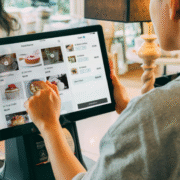
Upgrade Benefit: NetScore POS features an intuitive, user-friendly interface that reduces training time and enhances customer service.

5.Lack of Mobile or Cloud Capabilities

Retail is no longer confined to a single location. Whether you’re managing multiple stores or selling online, your POS system should support mobility and remote access.

NetScore POS for NetSuite: With cloud-based access and mobile compatibility, you can manage your business from anywhere, anytime.

Final Thoughts: Is It Time for a Retail POS Upgrade?

Recognizing the signs for POS replacement is the first step toward improving efficiency, customer satisfaction, and profitability. If your current system is holding you back, consider the benefits of switching to a modern solution like NetScore POS.

With its robust features, seamless integrations, and scalable architecture, NetScore POS is a smart investment for retailers looking to future-proof their operations.
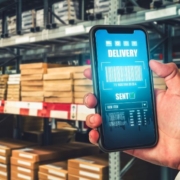
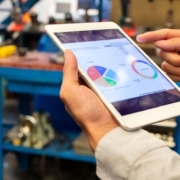
 

WMS Mobile_Blog Banner

Beginner’s Guide to Mobile Warehouse Management Systems (Mobile WMS)

In today’s fast-paced supply chain environment, efficiency and accuracy are everything. Warehouses are no longer just storage spaces—they’re dynamic hubs of activity that require smart technology to keep operations running smoothly. That’s where Mobile Warehouse Management Systems (Mobile WMS) come in.

If you’ve ever wondered “what is WMS mobile?”, this guide is for you.

What is Mobile WMS?

A Mobile Warehouse Management System is a software solution that allows warehouse staff to manage inventory and operations using mobile devices like smartphones, tablets, or rugged handheld scanners. Unlike traditional WMS systems that rely on desktop interfaces, mobile warehouse management brings flexibility and real-time data access directly to the warehouse floor.

Key Benefits of Mobile WMS:

  • Real-time inventory tracking
  • Barcode scanning for accuracy
  • Reduced manual errors
  • Faster receiving, picking, and shipping
  • Improved staff productivity

Why Use a Mobile WMS?

Implementing a mobile WMS can transform your warehouse operations by:

    • Eliminating paper-based processes.
    • Speeding up order fulfillment
    • Improving inventory accuracy
    • Enhancing customer satisfaction

Whether you’re a small business or a large enterprise, a mobile WMS helps streamline workflows and reduce operational costs.

WMS Mobile Guide: Choosing the Right Solution

When selecting a mobile WMS, consider:

  • Device compatibility (Android/iOS)
  • Ease of integration with your ERP
  • Barcode scanning capabilities
  • Customization options
  • User-friendly interface

One standout solution in the market is NetScore WMS Mobile for NetSuite.

Why NetScore WMS Mobile is a Smart Choice

NetScore WMS Mobile is designed specifically for NetSuite users and offers a robust set of features that make it ideal for wholesale distribution and manufacturing operations.

Key Features of NetScore WMS Mobile:

    • Real-Time Barcode Scanning: Ensures accurate inventory tracking and reduces errors..
    • Cross-Device Compatibility: Works on Android/iOS tablets and handhelds.
    • Smart Label Printing: Print packing slips and labels directly from mobile devices.
    • Inventory Management: Perform counts, transfers, and adjustments on the go.
    • Customizable Workflows: Tailor the app to your business needs using NetSuite’s reporting tools.
    • Quick Setup & User Adoption: Easy to install and intuitive for warehouse staff.

Final Thoughts

If you’re exploring mobile warehouse management solutions, this WMS mobile guide should help you understand the basics and make an informed decision. With its powerful features and seamless NetSuite integration, NetScore WMS Mobile stands out as a reliable, scalable, and efficient choice for modern warehouses.

Wish to see NetScore WMS Mobile for NetSuite in action? Click Here


equipment rental management software

What Is Equipment Rental Management Software and Why It Matters

Running an equipment rental business isn’t just about handing over gear and collecting payments. It’s about tracking inventory, scheduling rentals, managing maintenance, handling contracts, and keeping customers happy—all while trying to stay profitable.
That’s where equipment rental management software comes in. It’s not just a tool—it’s your behind-the-scenes partner that helps you run things smoothly, efficiently, and with less stress

What Is Equipment Rental Management Software?

It’s a digital system that helps you manage every part of your rental business. Whether you rent out construction tools, medical devices, AV gear, or party supplies, this software helps you:

  • Track what’s available and what’s out
  • Schedule rentals and returns
  • Manage customer details and contracts
  • Monitor equipment condition and maintenance
  • Handle billing and payments

It’s like having a smart assistant that never sleeps.

Why It Matters

Here’s how it makes a real difference:

    • Know What’s Available—Instantly: No more guessing or flipping through spreadsheets. You’ll always know which items are in stock, which are out, and when they’re due back. That means fewer double bookings and happier customers..
    • Streamline Your Workflow: From booking to billing, everything happens in one place. You can create quotes, send invoices, and even collect payments—all without switching between apps or chasing paperwork.
    • Keep Your Equipment in Top Shape: The software can remind you when it’s time for maintenance or inspections. That means fewer breakdowns, safer rentals, and longer equipment life.
    • Make Smarter Decisions: With built-in reports and analytics, you’ll see which items are your top performers, which ones are underused, and where your money’s going. That helps you invest wisely and grow faster.
    • Deliver a Better Customer Experience: Fast bookings, clear communication, and reliable service—all contributing to a better customer experience.

Who Should Use It?

  • Small rental shops looking to get organized and grow
  • Large rental companies managing hundreds of items and clients
  • Specialty rental businesses like medical, AV, or event equipment providers

For businesses already using NetSuite, solutions like NetScore Rental Management integrate seamlessly with your existing ERP system, providing specialized rental functionality without disrupting your current workflows.

Final Thoughts

if you’re still juggling rentals with spreadsheets, sticky notes, or memory, it’s time to upgrade. Equipment rental management software doesn’t just save time—it helps you run a smarter, more profitable business.
And the best part? You’ll spend less time on admin and more time doing what you do best: serving your customers and growing your business.

Ready to see how the right rental management software can transform your business? Request a demo to discover how streamlined operations and better customer service can drive your growth.


Configurable POS Systems Matter in Modern Retailing

Why Configurable POS Systems Matter in Modern Retailing

Small businesses need every advantage they can get. Whether it’s a boutique, a local grocery store, or a pop-up shop, it is important to manage operations efficiently and to meet customers’ expectations. Configurable POS systems can make a big difference by not just enabling sales but also providing flexibility in running the business.

The Evolution of POS Systems for Retailers

POS systems have evolved over time from merely handling transactions, and tracking inventory, to the Retail POS Software of today that adapts to business needs. Today’s POS systems are more robust and configurable. Whether you’re managing a single storefront or planning to expand to multiple stores, having a system that fits your workflow makes a lot of difference.

POS System Features That Make a Difference in Your Business

What makes configurable POS systems stand out? Here are some essential POS system features:

  • Customizable User Interface: Tailor the layout and functions to suit your staff’s workflow.
  • Flexible Pricing and Promotions: Easily set up discounts, loyalty programs, and dynamic pricing
  • Inventory Management: Track stock in real-time across multiple locations.
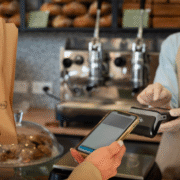
  • Integrated Payments: Accept various payment methods, including mobile wallets and contactless payments.
  • Advanced Reporting: Generate detailed sales, inventory, and customer reports to inform business decisions

Why Cloud-Based POS Systems Are a Great Choice

One of the most significant advancements in POS technology is the shift to the cloud. Cloud-based POS systems offer many advantages:

  • Remote Access: Manage your business from anywhere with an internet connection.
  • Real-Time Updates: Instantly sync data across all devices and locations.
  • Scalability: Easily add new registers, locations, or users as your business grows.
  • Data Security: Benefit from automatic backups and secure data storage.

Why Configurability Really Matters

Every retail business is unique. A one-size-fits-all POS solution often leads to inefficiencies and frustration. Configurable POS systems empower retailers to:

  • Streamline operations by aligning the system with specific business processes.
  • Enhance customer experiences through personalized service and faster checkouts.
  • Reduce training time with intuitive, role-based interfaces.
  • Quickly adapt to market changes, seasonal trends, or new business models.

Choosing the Right Retail POS Software

In a competitive retail environment, having the right tools is crucial. Retail POS Software that’s flexible, cloud-based, and packed with useful POS system features can give a competitive edge to any business. By choosing a system that grows with your business and adapts to your needs, you’re setting yourself up for long-term success.

Ready to simplify your retail operations with a POS system that actually fits your business?

NetScore POS for NetSuite is built for flexibility, speed, and scale – so you can serve customers better, and adapt to change with confidence. Whether you’re running a single store or scaling across locations, our configurable solution helps you stay ahead.

Want to see it in action? Request a demo or reach out to our team to find the right fit for your retail workflow.

Loyalty Rewards in 2020

Loyalty Rewards in 2020

Kyle Scobey, Supply Chain Evangelist